Best MRT singapore apps and offline maps for iOS / Android - 2023
This article reviews the best mobile apps for navigating through Singapore using the Mass Rapid Transit (MRT) and Light Rail Transit (LRT) systems. Best Singapore MRT offline maps (PDF) to download
Singapore is an island city-state that attracts millions of tourists, travelers, and businessmen every year. Not surprisingly, it has a highly developed transport network, including the subway (Mass Rapid Transit). MRT is Singapore's transportation system. It consists of more than 140 stations and 6 lines. The coverage area is constantly expanding.
In this article, we will review the best apps to use the Mass Rapid Transit map, as well as other apps that will be useful for visitors to Singapore in 2023.
Table of contents
The metro apps offer specific station information such as schedules, route planning, estimated costs of the route, and the ability to search for nearby stations based on the user’s current location. These apps provide offline maps of Singapore, major attractions, ticket booking, basic reference information, recommendations from other users, and the ability to search nearby objects.
Furthermore, they have features such as events calendars and walk generators that make exploring even more fun and exciting. These mobile apps provide users with a convenient way to navigate through Singapore without needing to turn on their GPS or use their phone's mobile data.
The reviewed mobile apps include Singapore Guide Tickets & Map, Explore Singapore MRT map, Singapore Metro Map & Planner, Singapore MRT and LRT Offline, Singapore Metro - MRT & LRT, and Visit Singapore Travel Guide.
Singapore MRT and LRT Offline

App
App rating: 4.6 out of 5
- Price
- Free
- Developer
- RoarApps
The purpose of the app is to find the best routes when traveling on the Singapore MRT. By tapping a few buttons you will find the solution to plan your trip.
The app is very easy to use. On the home screen, the Map section displays the System Map. By tapping the magnifying glass icon you can zoom in and out of the subway map. You can also do this with gestures.
Just below the System Map you can explore the Legend. Here you can find the Station Code, Interchange Code, User connection nodes, and other Transport Modes.
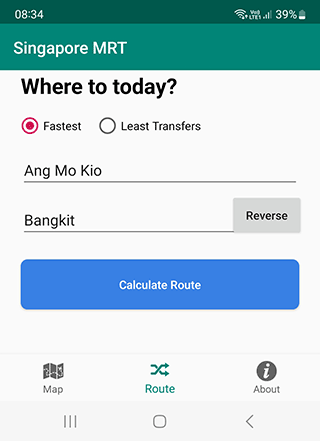
Through the Route section, you can plot the route of a subway trip:
Select the start and final stations,
Then select Fastest or Least Transfers option,
Then tap the Calculate Route button,
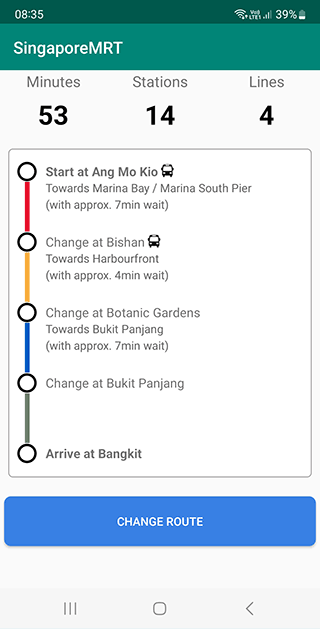
- As a result, the app will compile the most optimal route for your Singapore MRT trip.
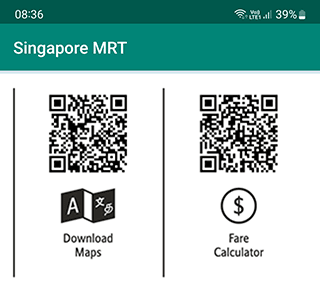
Singapore MRT maps can be downloaded for offline use as a file. To do so, use the QR code at the bottom right of the app.
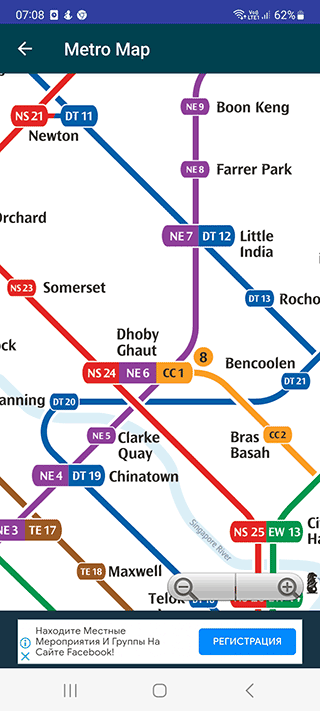
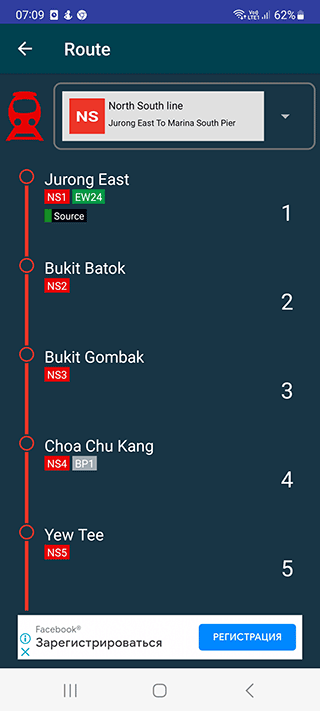
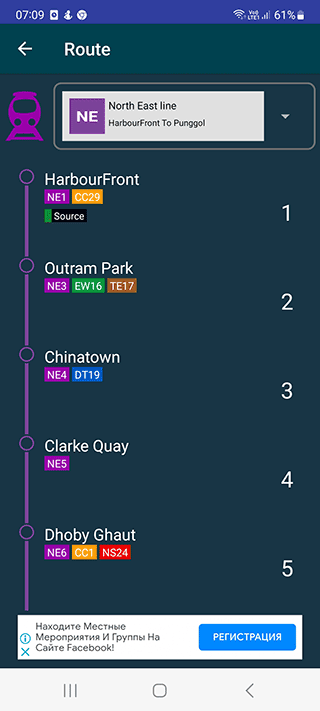
Main features of the Singapore map app:
- All SMRT and SBS Transit Lines are available (without exceptions)
- Filtering and searching for the train station you need
- The train timetable is updated in real time if you have an internet connection
Pros:
- Free to use
- Offline access to Singapore MRT maps
- MRT route planner is available
Cons:
- App design is quite outdated
- Creating a route by tapping on points on the subway map
SINGAPORE Guide Tickets & Map

App
App rating: 4.8 out of 5
- Price
- Free
- Developer
- Official Guide - Rome Italy
The app contains offline maps of Singapore, major attractions. Also, it is possible to book tickets or use MRT route planner. It is a kind of assistant for navigating through Singapore locations. The app is available for free for Android.
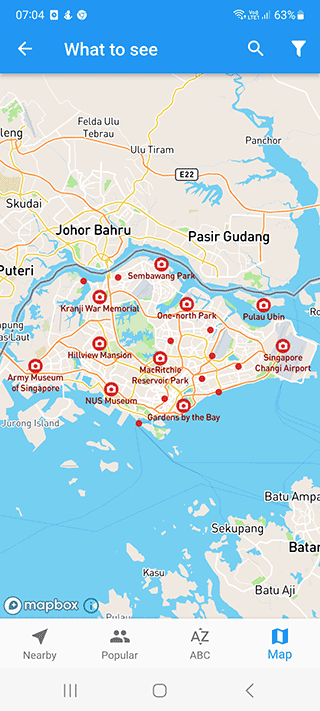
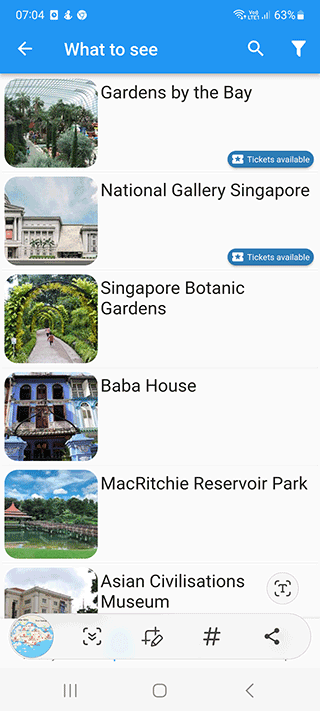
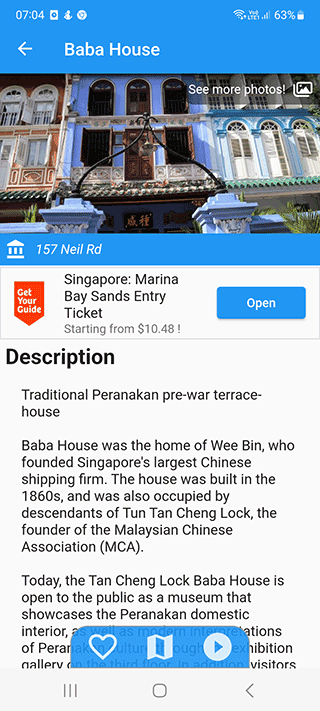
In addition to basic reference information, recommendations from other users of the app are also available. You can get to your destination easily - no need to turn on your GPS or use your phone's mobile data to do so. Just open the offline map of Singapore and navigate any route.
How is the offline map convenient? You do not depend on whether you have wi-fi or not, use mobile data or not. Basic functions - zoom, search, additional information about buildings - are all available offline. However, some functions operate in real time and therefore require an internet connection.
At the same time, offline maps contain all the necessary objects: bars, restaurants, museums, grocery stores and other infrastructure.
You can quickly search and sift unnecessary results, search for the nearest objects of the selected type on the map of Singapore.
One of the most useful features is lists of places (similar functions are available in any navigator or Google Maps). You can also add pins with a note as text - anywhere on the map.
Explore Singapore MRT map

App
App rating: 4.4 out of 5
- Price
- Free
- Developer
- ExploreMetro
A handy iOS / Android app for metro travel. Through it you can plan a trip, select options for transfers. It works independently, supports GPS navigation. Available in English and Chinese.
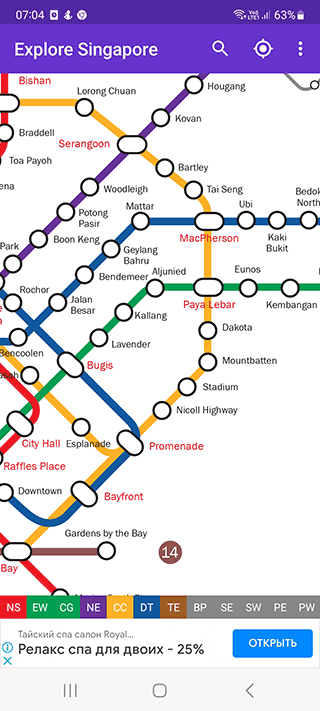
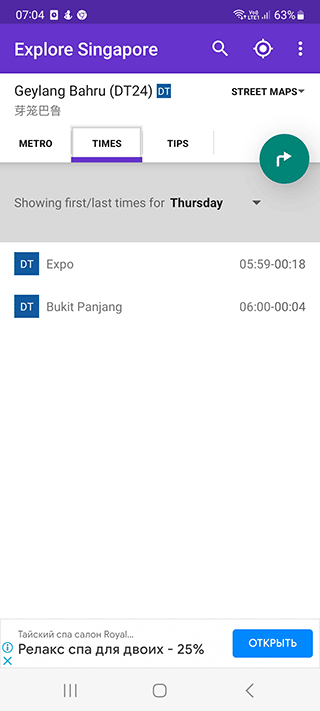
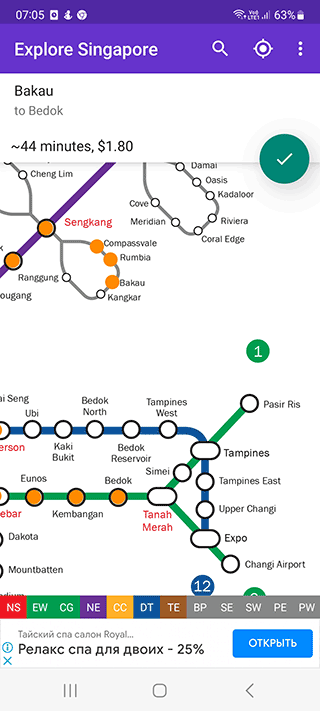
Explore Singapore app features:
- Singapore metro maps: constantly updated in the background. Also available train schedules, all changes are displayed in real time.
- Subway exits: what is nearby, what are the nearest subway stations near your current location.
- Route planning: use the planner to schedule a trip at a set time any day of the week.
- Completely offline: you don't need the internet to display maps and work with the route planner.
Singapore Metro Map & Planner

App
App rating: 4.4 out of 5
- Price
- Free / €1.09 - €14.99 per item (VIP)
- Developer
- Mapway
If you need a map of Mass Rapid Transit in Singapore or need to plan a route, we suggest you try this app. It is available in both Chinese and English. By the way, at the developer of Mapway you will find many bad specialized apps for traveling by subway in different countries and cities: Berlin, Paris, New York.
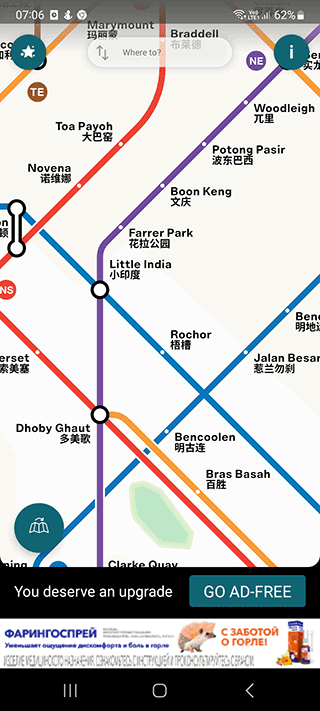
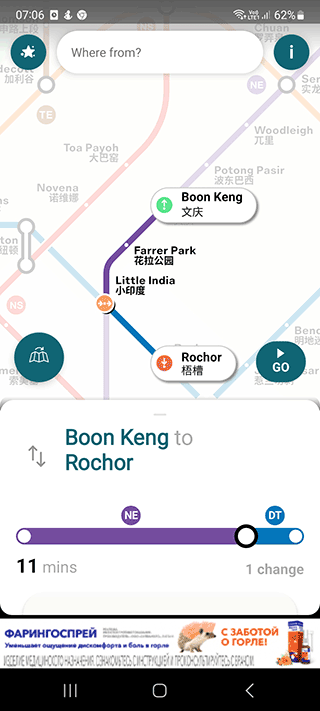
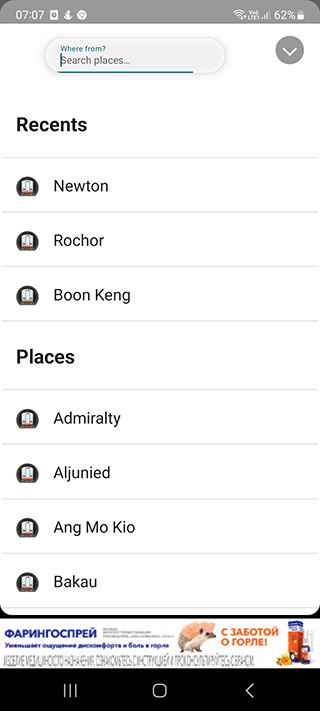
Interactive subway maps are perfectly detailed, with station names and operating times. Maps can be moved, zoomed in and out.
You can quickly find a particular station through a search or filter.
Like the above-mentioned apps, Singapore Metro Map works offline. Maps do not need to be downloaded additionally, everything is updated automatically. That is, the metro maps are always up to date.
The free version of the app displays ads.
Singapore Metro - MRT & LRT
App
App rating: 4.3 out of 5
- Price
- Free
- Developer
- Wm Dev Technology
Singapore Metro MRT is a free mobile app.It supports both mass rapid transit and Light Rail Transit in Singapore. The main purpose is to help you navigate, plan routes and find the best options to reach the final station.
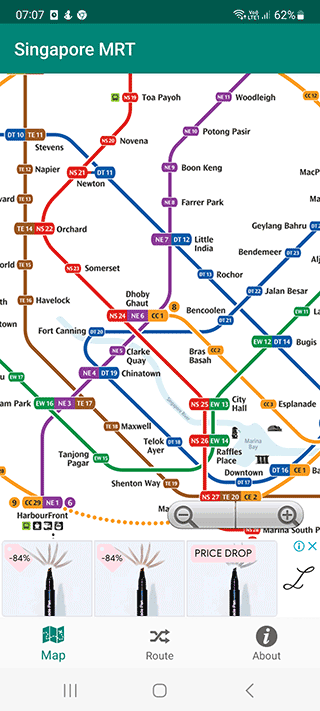
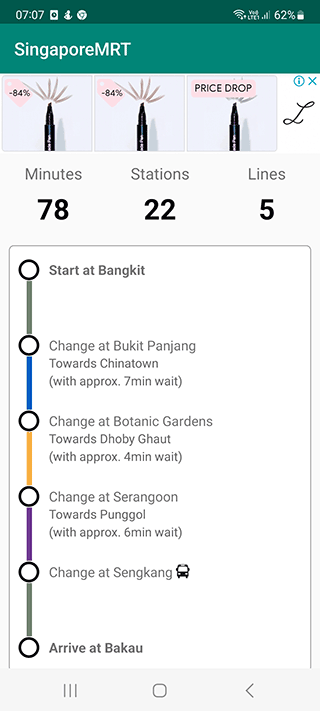
Let's note the main advantages of Singapore Metro MRT:
- Specific metro station information, including schedules
- Route planner
- Search for nearby stations near your current location
- Estimated cost of the route
- Offline metro maps
- Highly detailed maps with zoom, zoom and move support
Visit Singapore Travel Guide

App
App rating: 4.1 out of 5
- Price
- Free
- Developer
- Singapore Tourism Board
If this is your first time in Singapore and you don't have a clear plan of where to go for entertainment, this app will be of indispensable help. It is a kind of guide to the most interesting and popular places in Singapore.
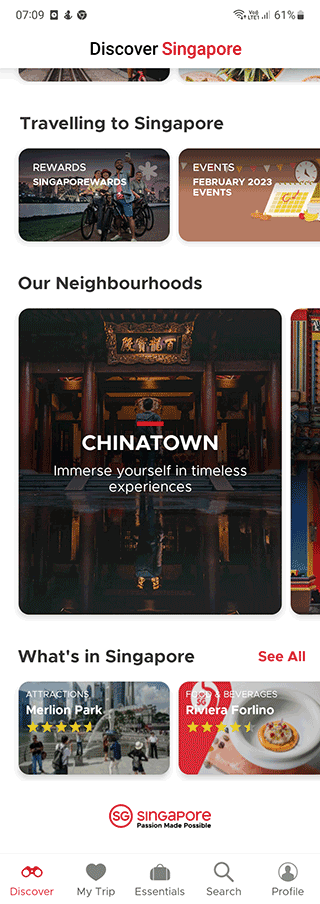
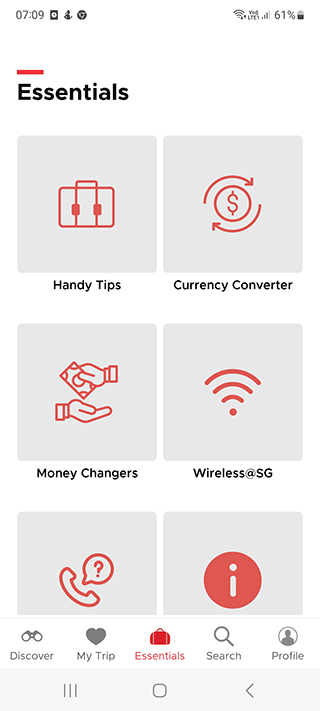
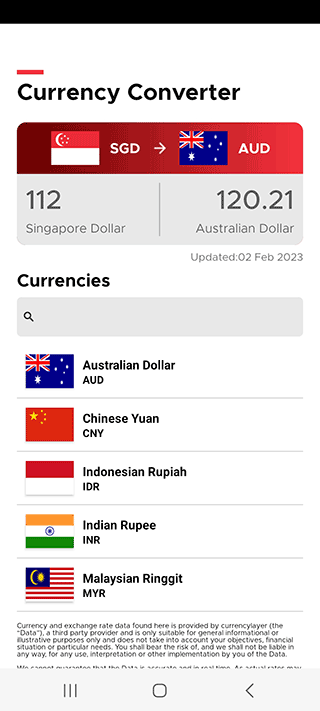
Available features:
- GPS navigation: easy to navigate around the city using public transportation - subway, buses. You can specify a point on the map, and the app will calculate the route by which you can get to your destination.
- Events: a calendar of upcoming events. What is happening nearby and in the specified location.
- Walk generator: you can create a sequence of points on the map with places selected especially for you. Walking around Singapore in this format will be a lot of fun.
Download offline maps of Singapore MRT
Singapore MRT & LRT system map
Maximum detailed map as a PDF file that can be printed or opened on your mobile phone. It is easy to use for navigation on the subway.
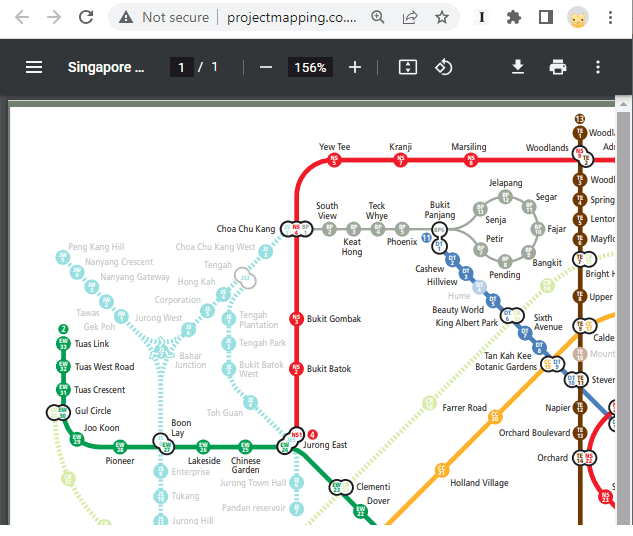
Here you can see all MRT & LRT lines marked with different colors: North South line, East West line and so on. Also marked are the junctions. The last time the map was updated was in 2022, so the data is up to date.
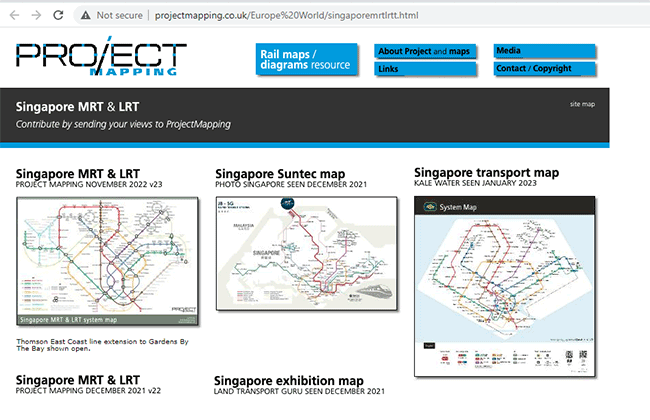
Other maps of Singapore's transportation system can be found at http://www.projectmapping.co.uk/Europe%20World/singaporemrtlrtt.html.
Rail Network
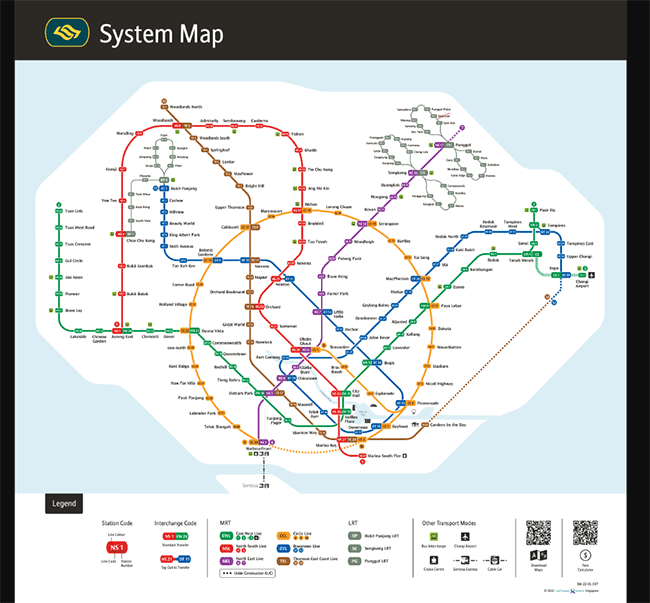
Both offline downloadable PDF maps and interactive metro maps are available on this page. You can download the map using your phone camera via QR code. There is also a Fare calculator, through which it is easy to calculate the cost of a trip on the Singapore MTR.
Under the metro scheme you will find links to download a mobile app for navigating the Singapore MTR.
The Current Rail Lines section contains useful information on each subway line: history, structure, and fare map.
Schematic Map of Singapore MRT/LRT Lines
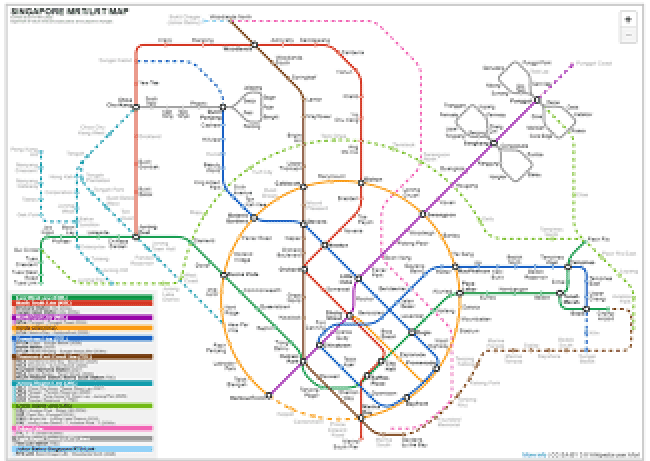
Another detailed map of Singapore MRT. Unfortunately, it is not downloadable, but it is easy to use. For example, you can zoom it, open it full screen. If you prefer opening the map from your iPhone / Android device, it is more convenient to use this Singapore MRT map:
MRT & LRT Lines Connectivity Diagrams / Network Maps.
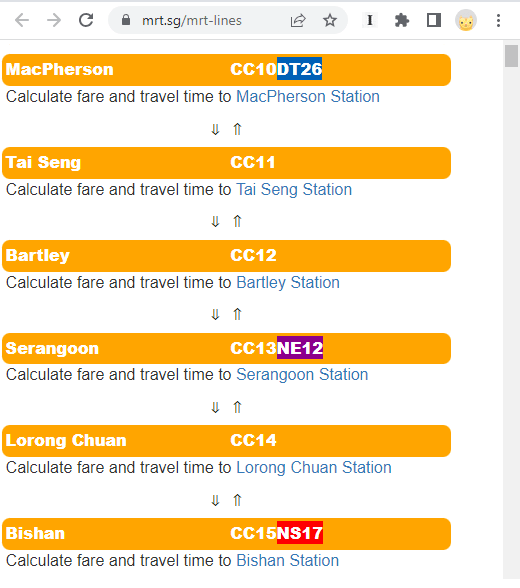
You can find out the fare using the Fare Calculator tool. Enter the name of the start and end stations, then tap the Calculate Fare button. The fare will be shown in local currency.
Related guides
More useful articles from the ZIP Code Maps & Local City Guides topic.
- Austin ZIP Code Map
Search 74 Austin, Texas ZIP codes by local area, Travis County postal place, coordinates, and map direction. Includes printable maps for North, South, East, and West Austin.
- Columbus ZIP Code Map
Search 45 Columbus, Ohio ZIP codes by local area, Franklin County postal place, ZIP type, or coordinates. Includes printable maps for North, South, East, and West Columbus.
- El Paso ZIP Code Map
Search 137 El Paso ZIP codes by local area, El Paso County postal place, coordinates, and map direction. Includes printable maps for North, South, East, and West El Paso.
- Fort Lauderdale ZIP Code Map
Search 47 Fort Lauderdale ZIP codes by local area, Broward County postal place, coordinates, and map direction. Includes printable maps for North, South, East, and West Fort Lauderdale.
- Fresno ZIP Code Map
Search 58 Fresno ZIP codes by local area, Fresno County postal place, coordinates, and map direction. Includes printable maps for North, South, East, and West Fresno.
About MyGpsTools Editorial Team
MyGpsTools publishes practical guides about GPS apps, maps, navigation tools, EXIF photo metadata, satellite imagery, Android Auto, Apple CarPlay, ZIP code maps, and location-based technologies. We focus on clear instructions, practical checks, official documentation, and reader feedback.