How Language Localization Makes GPS Navigation Actually Usable Abroad
Why GPS coordinates aren't enough for real-world navigation, and how localized apps handle street names, landmarks, voice directions, and cultural routing differences across regions.
Table of contents
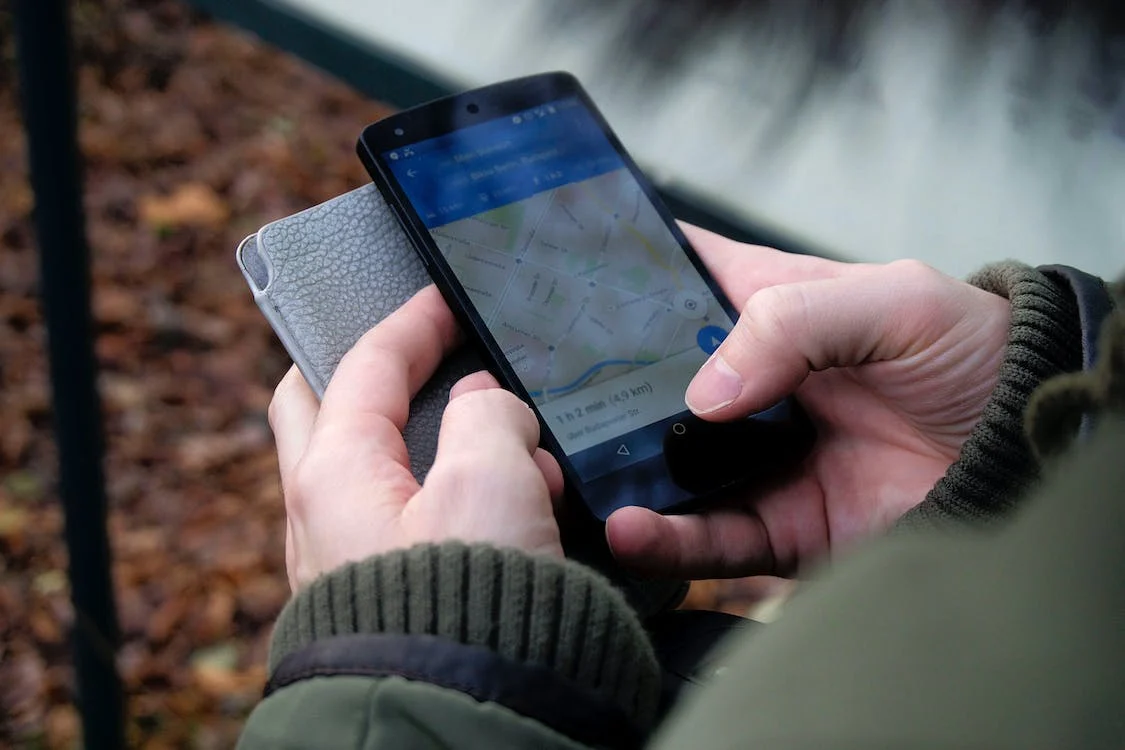
Photo by Ingo Joseph on Pexels
GPS coordinates are universal — 25.2048° N, 55.2708° E points to the same spot whether you're in Tokyo or Toronto. But coordinates alone don't help when a taxi driver asks where you're going, street signs use unfamiliar scripts, or your navigation app mispronounces every turn.
That's where localization becomes essential. It's not just translation — it's adapting navigation to how people actually find their way in different regions.
What GPS Localization Actually Involves
Raw GPS data gives you latitude, longitude, and maybe altitude. Turning that into usable directions requires layers of localized information:
Street and place names — The same street might be "улица Ленина" on local signs, "Ulitsa Lenina" in transliterated form, and "Lenin Street" in English. Good navigation apps store multiple variants and display the version most useful to you while pronouncing it correctly for voice directions.
Address formats — Japanese addresses work by block number, not street name. German addresses put the house number after the street. Indian addresses often reference landmarks ("opposite SBI bank"). Navigation systems need region-specific parsing to interpret addresses correctly.
Landmark-based directions — In many countries, people navigate by landmarks rather than street names. "Turn left at the mosque" is more useful than "turn left on Al-Wasl Road" when you can't read Arabic script from a moving car.
Routing conventions — Right-hand vs. left-hand traffic, U-turn restrictions, typical highway patterns. A route that makes sense in the US might be illegal or impractical in the UK.
Where Localization Breaks Down
Even major navigation apps struggle with localization gaps:
Romanization inconsistencies — Is it "Beijing" or "Peking"? "Mumbai" or "Bombay"? "Kyiv" or "Kiev"? When apps use different romanization standards than your search terms, you won't find what you're looking for.
Voice pronunciation — Google Maps attempting Japanese street names is often incomprehensible to both Japanese speakers and tourists. The technology exists for better text-to-speech in most languages, but implementation varies wildly.
Outdated local data — Street names change (especially post-Soviet states and countries with recent political shifts), new developments appear, businesses move. Apps relying on localized databases need constant updates to stay accurate.
Script rendering — Some apps display Arabic, Hebrew, Thai, or Chinese characters correctly on maps but fail in search boxes or turn-by-turn directions. This makes navigation frustrating even when the underlying data is correct.
Practical Localization Features to Look For
When choosing navigation apps for international travel, check these specific capabilities:
Dual-language display — Shows street names in both local script and your preferred language simultaneously. Essential when you need to match what's on your screen with what's on street signs.
Downloadable language packs — Voice directions in your language shouldn't require data connectivity. Apps like Google Maps, Maps.me, and HERE WeGo let you download offline voices.
Local POI categories — A navigation app that knows "konbini" (convenience store) searches in Japan or "souq" searches in UAE is more useful than one forcing Western business categories everywhere.
Phonetic pronunciation guides — Some apps display pronunciation hints for destination names, helping you communicate with locals when technology fails.
For destinations with unique navigation challenges, specialized apps often outperform global solutions. Offline navigation apps for Dubai, for example, handle the UAE's rapidly changing road network and transliteration issues better than generic mapping tools.
Regional Navigation Differences Worth Knowing
Navigation isn't universal. Some regional quirks that catch travelers off guard:
Japan — Addresses use area-block-building format. "1-2-3 Shibuya" means Shibuya district, block 2, building 3. Most streets have no names. Navigation apps need to understand this system or they're useless.
United Arab Emirates — Many addresses reference landmarks or building names rather than street numbers. Roads under construction frequently change. Makani codes (10-digit location identifiers) are gaining adoption but aren't universally supported yet.
Germany — Autobahn exits are numbered by kilometer marker, not sequentially. Voice directions saying "take exit 47" won't help if you don't know which kilometer you're approaching.
India — Addresses routinely include landmarks, colony names, and area references that standard navigation apps don't index. "Near Indiranagar Metro Station" is often more findable than the actual street address.
Understanding these differences matters for both travelers and developers. Proper localization is essential for any navigation product targeting international users.
Extracting Location Data Across Languages
When working with geotagged content — photos, GPS logs, location check-ins — language localization affects how you interpret and use that data.
A photo's EXIF GPS coordinates are language-agnostic, but reverse geocoding (converting coordinates to addresses) depends entirely on your localization settings. The same coordinates might return "東京都渋谷区" or "Shibuya, Tokyo" depending on configuration.
For runners and cyclists tracking workouts internationally, GPS tracking apps with proper localization correctly label routes, display distances in preferred units (kilometers vs. miles), and name locations in readable formats regardless of where you recorded the activity.
In-Car Navigation and Language Support
Car navigation systems present unique localization challenges because they're often locked to specific regional configurations at purchase.
Factory-installed systems may not support your language at all, or may have limited voice options. This is why many travelers prefer phone-based solutions like CarPlay or Android Auto — they carry your language preferences with you regardless of what car you're driving.
Aftermarket solutions vary widely in localization quality. When evaluating wireless CarPlay adapters or similar devices, verify they don't interfere with language settings or voice command recognition in your preferred language.
For off-road navigation in remote areas, localization becomes even more critical — trail names, terrain descriptions, and safety warnings need to be comprehensible. English-only off-road apps are essentially useless in regions where trail markers and local guidance use other languages.
Building Localized Navigation Experiences
For developers and product teams working on location-based services, localization isn't optional — it's a core feature that determines usability in target markets.
Key technical considerations:
Geocoding APIs — Google, HERE, Mapbox, and OpenStreetMap-based solutions handle localization differently. Test extensively with real addresses in target markets before committing.
Right-to-left support — Arabic, Hebrew, Persian, and Urdu require proper RTL handling in both UI and map labels. This is frequently broken even in otherwise polished apps.
Local data sources — Official mapping data in some countries is restricted or inaccurate. Local partners or crowd-sourced data (like OpenStreetMap contributors) often provide better ground truth.
Cultural navigation patterns — User research in target markets reveals routing preferences that might not match your assumptions. Some cultures prefer highway routes even when slower; others avoid toll roads at almost any cost.
The Bottom Line
GPS coordinates work everywhere, but navigation is inherently local. The gap between "technically accurate" and "actually usable" is filled by localization — adapted street names, culturally appropriate landmarks, comprehensible voice directions, and region-aware routing.
When traveling, prioritize apps that handle your destination's specific quirks over generic global solutions. When building location products, treat localization as foundational architecture rather than post-launch polish.
The difference shows immediately: one app tells you to "turn right in 300 meters," while another says "turn right after the blue pharmacy, before the roundabout." In an unfamiliar city, that context makes the difference between arriving confidently and driving in circles.
Olivia Evans is a technical writer specializing in navigation systems and localization technology.
About MyGpsTools Editorial Team
MyGpsTools publishes practical guides about GPS apps, maps, navigation tools, EXIF photo metadata, satellite imagery, Android Auto, Apple CarPlay, ZIP code maps, and location-based technologies. We focus on clear instructions, practical checks, official documentation, and reader feedback.