Best High-Resolution Satellite Imagery
Compare free and paid satellite imagery platforms in 2026. Learn the differences between Google Earth, Maxar, Airbus, Sentinel Hub, and USGS EarthExplorer. Find out which service offers the resolution, update frequency, and features you actually need.
Table of contents
Quick Answer
Free options: Google Earth, USGS EarthExplorer, Sentinel Hub EO Browser, and NASA Worldview are the most practical starting points. They work well for general viewing, historical data, and environmental monitoring.
Premium options: Maxar, Airbus Intelligence, and European Space Imaging offer the highest commercial resolution (around 30cm per pixel), but cost significantly more and are built for professional use.
Key caveat: Most satellite imagery is archived or recently updated—not live. Resolution, update frequency, and coverage vary widely by location and platform.
Understanding Satellite Imagery: What You're Actually Seeing
Before comparing platforms, it's important to understand what "satellite imagery" really means on these services:
- Archived imagery: Historical photos from past satellite passes, sometimes years old
- Recently updated: Imagery from the last few weeks or months, depending on satellite revisit cycles
- Near real-time: Updated frequently (daily or every few days) but still not live video
- Live satellite feed: Extremely rare for ground-level detail; most "live" services show weather or environmental layers, not continuous video
Most platforms mix these types. Google Earth, for example, may show recent imagery in cities but older photos in rural areas. Sentinel Hub updates on a regular 5-day cycle. NASA Worldview refreshes daily but focuses on environmental events, not building-level detail.
Free Satellite Imagery Platforms
Google Earth
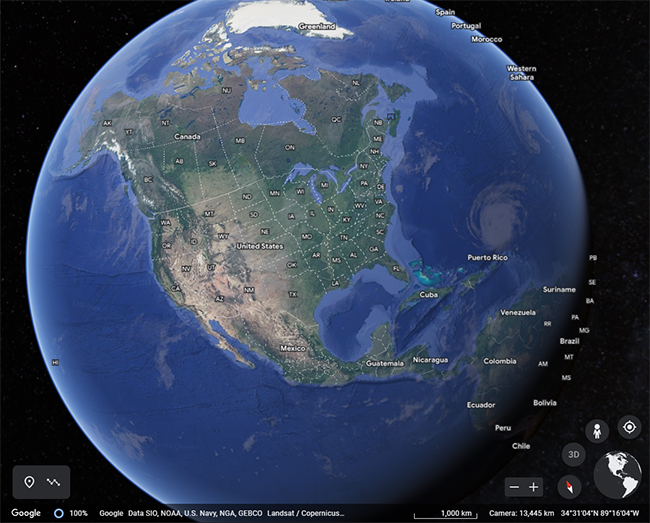
Resolution: 15cm–15m (varies by location)
Update frequency: Irregular; varies by region
Best for: Quick visual checks, general orientation
Google Earth remains the easiest entry point for satellite imagery. It combines data from multiple sources and offers a familiar interface. However, image quality and recency vary dramatically by location. Urban areas often have sharper, more recent imagery; rural and remote regions may show older or lower-resolution photos.
Practical note: Google Earth is useful for a one-time look at a property or location, but don't rely on it for the latest available image or the highest resolution in your area.
USGS EarthExplorer
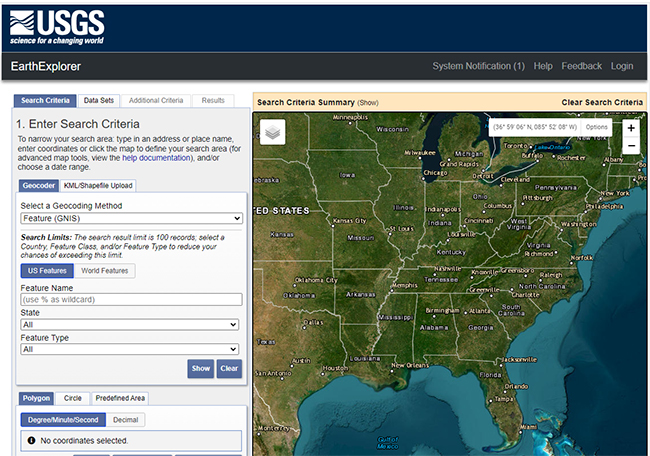
Resolution: 30m (Landsat); varies by product
Update frequency: 16-day revisit cycle (Landsat)
Best for: Historical data, long-term change detection, research
The U.S. Geological Survey's EarthExplorer is a government platform offering free access to decades of satellite imagery, aerial photographs, and elevation data. Key features:
- Landsat satellite imagery dating back to the 1970s
- Digital elevation models (DEM) and topographic maps
- Hyperspectral imagery for specialized analysis
- Search by date range to track changes over time
EarthExplorer is less convenient than Google Earth but far more powerful for research, historical comparison, and understanding how a landscape has changed. The interface requires more effort to learn, but the data is reliable and well-documented.
Sentinel Hub EO Browser
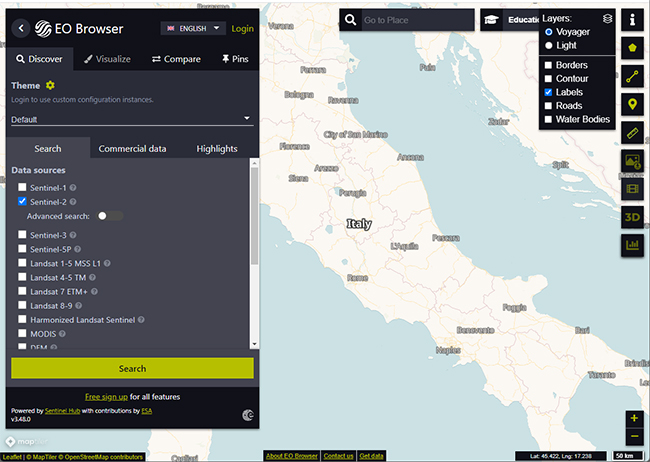
Resolution: 10m (Sentinel-2)
Update frequency: 5-day revisit cycle
Best for: Environmental monitoring, vegetation analysis, research
Sentinel Hub provides free access to Copernicus Sentinel-2 satellite data. The platform is designed for earth observation and environmental research rather than casual map browsing.
What it offers:
- Multi-spectral imagery (red, green, blue, near-infrared bands)
- Change detection and monitoring tools
- Regular, predictable update cycles
- Educational and research-focused interface
Practical use: Sentinel Hub excels at tracking vegetation, water, land use, and large-scale environmental changes. It's not suitable for zooming in on individual buildings or fine details, but it's excellent for monitoring broader areas and detecting changes over time.
NASA Worldview
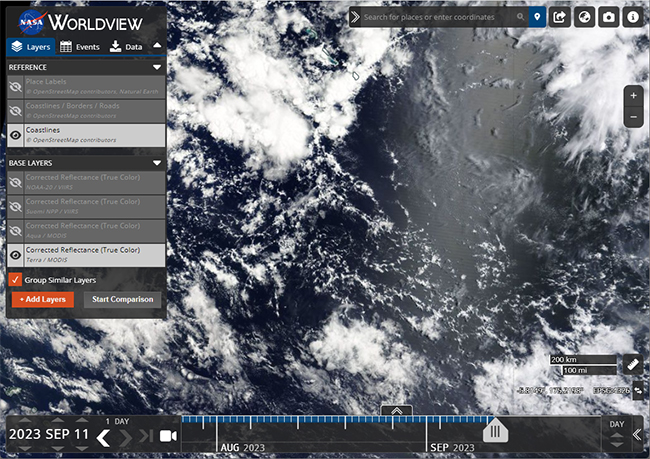
Resolution: 3m–250m (varies by layer)
Update frequency: Daily
Best for: Environmental events, weather patterns, natural disasters
NASA Worldview is updated frequently and includes layers for fire, flood, dust, snow, and atmospheric conditions. It's particularly useful for tracking active events rather than static imagery.
Key distinction: Worldview is not a general satellite map viewer. It's an environmental monitoring tool. The frequent updates apply to weather and disaster layers, not to high-resolution building-level imagery.
Copernicus Data Space Ecosystem
Resolution: 10m–60m (Sentinel satellites)
Update frequency: 5–10 days
Best for: European coverage, research, environmental data
The European Copernicus program provides free satellite data through its data space ecosystem:
- Sentinel-1, 2, 3, and 5P satellite data
- Air quality and atmospheric monitoring
- Climate and environmental research data
This is a research-oriented platform with strong coverage of Europe and global environmental data.
Premium High-Resolution Satellite Imagery
Maxar Technologies
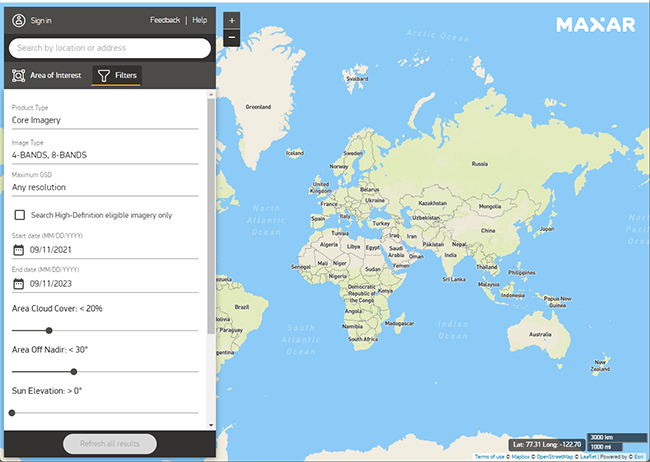
Resolution: ~30cm per pixel (in supported areas)
Update frequency: Regular (varies by area)
Cost: Commercial pricing; contact for quotes
Best for: Professional mapping, planning, commercial analysis
Maxar operates high-resolution satellites and is one of the primary sources of ultra-sharp commercial imagery. Their products are used by governments, enterprises, and mapping services.
Important notes:
- 30cm resolution means you can see fine detail, but availability is limited to certain regions
- Pricing is based on area, resolution, and licensing terms
- Not a casual browsing platform; designed for professional workflows
Airbus Intelligence
Resolution: ~50cm–1m (varies by product)
Update frequency: Regular
Cost: Commercial pricing
Best for: Commercial mapping, urban planning, enterprise analysis
Airbus provides satellite imagery through products like SPOT and Pléiades. Coverage and pricing depend on the specific product and area.
European Space Imaging
Resolution: ~30cm per pixel
Update frequency: Regular
Cost: Commercial pricing
Best for: High-detail commercial imagery, professional projects
European Space Imaging delivers commercial satellite imagery with very fine resolution in supported areas. Like other premium providers, exact availability and cost depend on location and product.
Comparison Table: Free vs. Premium
| Platform | Resolution | Cost | Update Frequency | Best For |
|---|---|---|---|---|
| Google Earth | 15cm–15m | Free | Varies by region | Quick checks, general use |
| USGS EarthExplorer | 30m | Free | 16 days | Historical data, research |
| Sentinel Hub | 10m | Free | 5 days | Environmental monitoring |
| NASA Worldview | 3m–250m | Free | Daily | Disaster tracking, weather |
| Maxar | 30cm | Premium | Regular | Commercial, professional |
| Airbus Intelligence | 50cm–1m | Premium | Regular | Commercial, professional |
| European Space Imaging | 30cm | Premium | Regular | Commercial, professional |
How to Find Satellite Images of a Specific Location
Step 1: Choose a platform based on your needs
- For a quick look: Google Earth
- For historical data: EarthExplorer
- For research: Sentinel Hub or Copernicus
- For the sharpest available image: Check Maxar or Airbus (commercial)
Step 2: Input your location
- Use GPS coordinates for precision
- Or search by address (most platforms support this)
Step 3: Check image metadata
- Note the capture date
- Look for cloud cover or obstructions
- Compare multiple available images if options exist
Step 4: Assess resolution and recency
- Determine if the available resolution meets your needs
- Decide if the image date is recent enough for your purpose
- Remember: the newest image isn't always the clearest
Step 5: Download or export (if needed)
- Free platforms usually allow downloads for research
- Commercial platforms require licensing for commercial use
- Check terms of use before republishing
Why Image Quality Varies
Several factors affect what you see in satellite imagery:
Location factors:
- Urban areas typically have sharper, more recent coverage
- Rural and remote regions often have older or lower-resolution imagery
- Cloud cover can obscure or degrade image quality
- Seasonal changes affect visibility (snow, vegetation, water levels)
Platform factors:
- Different satellites have different resolution capabilities
- Revisit cycles determine how often an area is imaged
- Licensing agreements affect which imagery is available publicly
- Data processing and compression affect final image quality
Practical reality:
- A slightly older, clear image is often more useful than a newer image obscured by clouds
- The highest-resolution image available may not be the most recent
- Coverage gaps exist in many regions, especially outside developed countries
FAQ
Can I see my house in high-resolution satellite images?
Yes, in most cases—but it depends on your location. Urban and suburban areas typically have sharper coverage than rural regions. Google Earth or EarthExplorer are good starting points. For the sharpest possible image, check Maxar or Airbus, though these are commercial services.
Is Google Earth the best free option?
It's the easiest and most familiar, but not always the best. For historical data and research, USGS EarthExplorer is more powerful. For environmental monitoring, Sentinel Hub or NASA Worldview may be more useful. The "best" option depends on what you're trying to do.
Are there true live satellite images of Earth?
Not for regular users. Most platforms show archived or recently updated imagery, not continuous video feeds. Some services update frequently (daily or every few days), but that's still not the same as live video. NASA Worldview and similar tools update often, but they focus on weather and environmental layers, not building-level detail.
Which service has the highest resolution?
Maxar, Airbus Intelligence, and European Space Imaging offer the sharpest commercial imagery, around 30cm per pixel in supported areas. Availability and pricing vary by location and product. These are professional services, not casual browsing tools.
What's the best free alternative to Google Earth for research?
USGS EarthExplorer is excellent for historical data and long-term analysis. Sentinel Hub EO Browser is better for environmental monitoring and regular updates. Copernicus Data Space is strong for European coverage and climate research. Choose based on your specific research needs.
Why do some satellite images look old?
Imagery depends on satellite pass timing, cloud cover, licensing agreements, and update cycles. A platform may have recent data for one area and older imagery for another. Urban areas are typically updated more frequently than remote regions.
Can I download satellite images?
Usually, yes—but terms vary. Free government and research platforms (EarthExplorer, Sentinel Hub, NASA Worldview) generally allow downloads for research and educational use. Commercial platforms may restrict downloads or require licensing for commercial use. Always check the platform's terms before downloading or republishing.
How often is satellite imagery updated?
It depends on the platform and location:
- Google Earth: Irregular; varies by region
- EarthExplorer: 16-day Landsat revisit cycle
- Sentinel Hub: 5-day revisit cycle
- NASA Worldview: Daily (for environmental layers)
- Commercial providers: Regular, but varies by product and area
What resolution do I actually need?
- 30m resolution: Suitable for large-scale monitoring (agriculture, forests, water bodies)
- 10m resolution: Good for regional analysis and land-use mapping
- 3m resolution: Useful for urban planning and infrastructure
- 30cm–1m resolution: Needed for detailed building-level analysis (commercial)
For most casual uses, 10–30m resolution is adequate. Building-level detail requires 1m or better.
These platforms cover most practical needs, from quick property checks to professional earth observation. Start with free tools for general viewing and research. Move to premium services only if you need the sharpest available imagery or commercial licensing for professional work.
For more on real-time satellite tracking and live feeds, see our guide on real-time satellite imagery.
Related guides
More useful articles from the Satellite Imagery & Google Earth topic.
- How Old Is Google Earth Imagery?
Learn how often Google Earth imagery updates, why image age varies by city or region, how to check the capture date, and when to use more current satellite imagery tools.
- Live Satellite View of Your House
Learn what live satellite view really means in 2026, which tools show recent or near-real-time imagery, and why true live views of a house are not available to regular users.
- What Are the Best Google Earth Alternatives? [2026 Guide]
15 powerful Google Earth alternatives for 2026. Expert-reviewed satellite imagery tools, real-time mapping, and GIS solutions for professionals and casual users.
- How to Fix Google Earth Not Working or Won’t Load Issues: Complete Troubleshooting Guide
Practical fixes for Google Earth when it won’t load, keeps crashing, or runs slowly on desktop, web, iPad, and mobile.
- How Often Does Google Earth and Google Maps Update Satellite Images?
Find out how often Google Maps and Google Earth update satellite images, why some areas stay old for years, and how to check the date of a Google Earth image.
About MyGpsTools Editorial Team
MyGpsTools publishes practical guides about GPS apps, maps, navigation tools, EXIF photo metadata, satellite imagery, Android Auto, Apple CarPlay, ZIP code maps, and location-based technologies. We focus on clear instructions, practical checks, official documentation, and reader feedback.