Arkansas Map with Cities, Counties and Roads
Explore Arkansas maps with cities, towns, counties, highways, regions, and a blank outline map. Use these printable-style reference maps for travel planning, school projects, county research, and quick geographic orientation.
Map of Arkansas with selected cities, county context, and state overview. Map data: MapTiler, OpenStreetMap contributors, and Natural Earth.
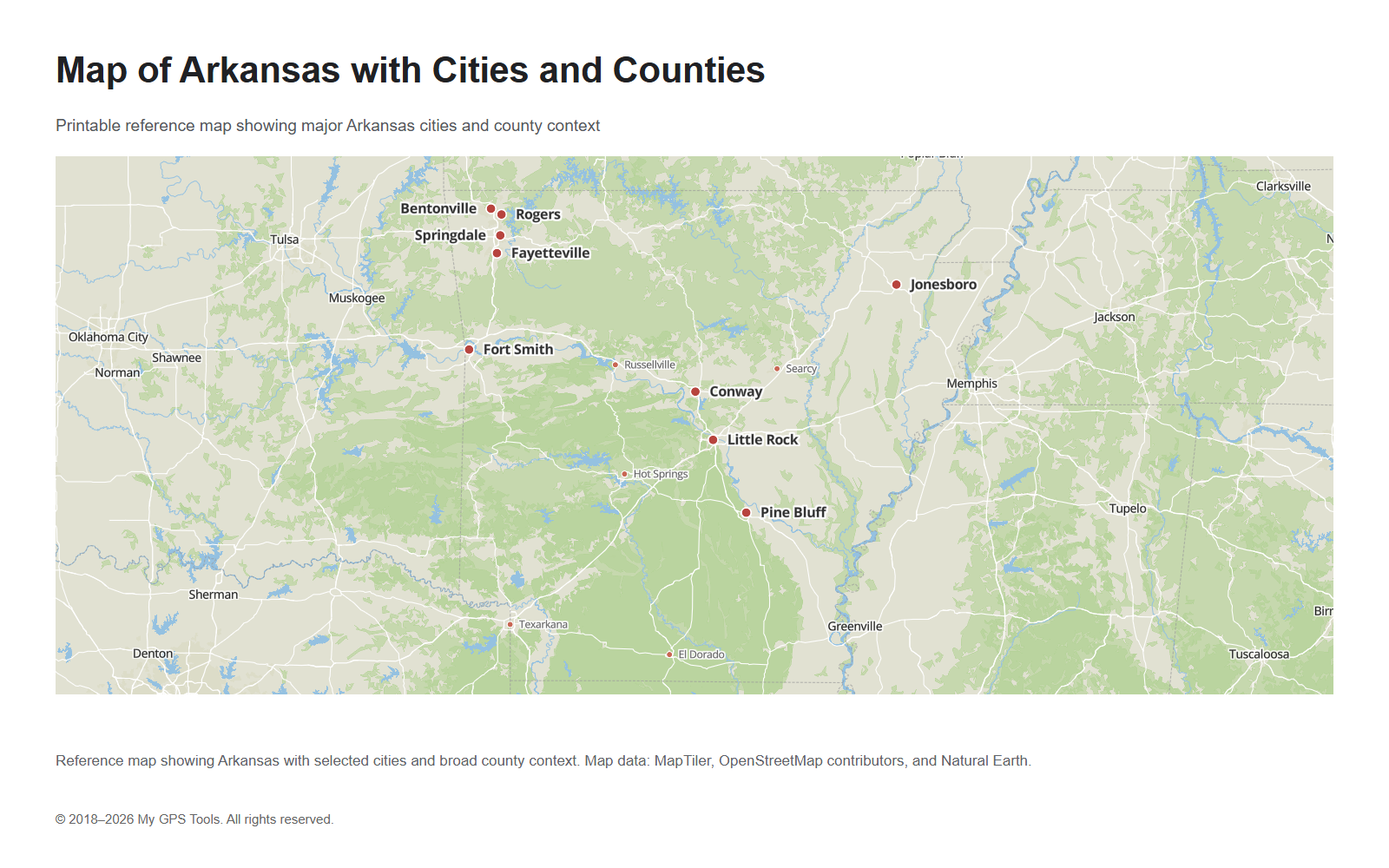
Table of contents
This Arkansas map guide is built for people who need a quick visual answer: where the main cities are, how the counties are arranged, which highways cross the state, and how Arkansas connects with nearby states. Instead of treating the topic as a general GPS article, this page focuses on practical reference maps that can be viewed, opened full size, downloaded as PNG, or saved as simple PDF files.
The most useful starting point is the Arkansas map with cities and counties. It gives a balanced overview of the state and helps you locate Little Rock, Fayetteville, Fort Smith, Jonesboro, Springdale, Hot Springs, Pine Bluff, Conway, Rogers, Bentonville, and other important places. For route planning, use the road map of Arkansas. For administrative geography, use the Arkansas county map. For school or presentation work, use the blank Arkansas outline map.
Arkansas map images
| Map | Best for |
|---|---|
| Arkansas map with cities and counties | General reference, city and county orientation |
| Arkansas cities and towns map | Finding city and town locations |
| Northwest Arkansas map | Fayetteville, Springdale, Rogers, Bentonville, and I-49 |
| Road map of Arkansas | Interstates, highways, and route planning |
| Arkansas county map | County boundaries and administrative geography |
| Blank Arkansas outline map | Printing, worksheets, labeling, and classroom use |
| Arkansas regions map | Central, northwest, northeast, western, southern, and Delta orientation |
What the Arkansas map shows
A useful map of Arkansas should show more than just the state outline. The main layers most readers need are:
- major cities and towns;
- county boundaries;
- state borders;
- interstate highways and primary roads;
- rivers and regional geography;
- neighboring states for context.
Arkansas is bordered by Missouri to the north, Tennessee and Mississippi to the east, Louisiana to the south, Texas to the southwest, and Oklahoma to the west. This makes the state a central reference point between the Mississippi River region, the Ozarks, the Ouachita Mountains, and the southern plains.
The state’s geography is not uniform. Northern Arkansas includes the Ozark region. Western Arkansas connects with the Oklahoma border and the Fort Smith area. Central Arkansas is anchored by Little Rock and the Arkansas River corridor. Eastern Arkansas is shaped by the Mississippi Delta. Southern Arkansas includes forests, smaller cities, and routes toward Louisiana and Texas.
Main cities on the Arkansas map
The most important city on an Arkansas map is Little Rock, the state capital and the main urban center. It is located in central Arkansas and serves as the primary reference point for state government, regional business, and transportation.
Fort Smith sits in western Arkansas near the Oklahoma border. It is one of the most useful city labels for understanding the western side of the state and the I-40 corridor.
Fayetteville, Springdale, Rogers, and Bentonville form a major cluster in northwest Arkansas. This part of the state is especially important because many users search specifically for northwest Arkansas maps and city locations.
Jonesboro is the main city reference in northeast Arkansas. Pine Bluff is an important reference point southeast of Little Rock. Hot Springs is useful for central-western orientation and tourism. Texarkana marks the southwest corner near Texas. Conway, Russellville, Searcy, and El Dorado help fill out the rest of the city map.
Map of Arkansas with major cities and secondary towns, including Little Rock, Fort Smith, Fayetteville, Springdale, Jonesboro, Hot Springs, Pine Bluff, Texarkana, and Conway.
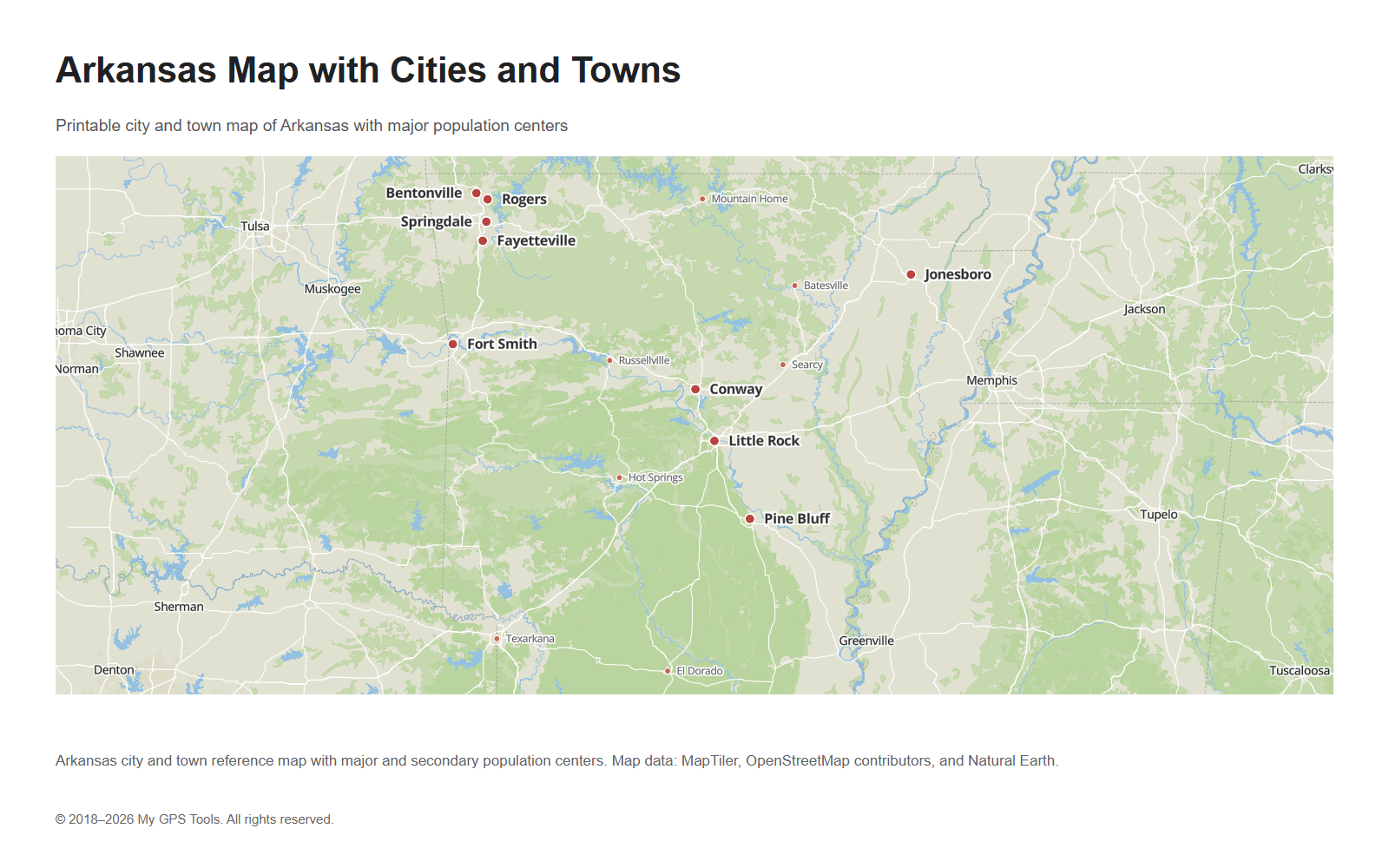
A cities-and-towns map is the best option when you need to answer questions like “Where is Fayetteville?”, “What cities are in northwest Arkansas?”, or “Which towns are near Little Rock?”
Northwest Arkansas map
Northwest Arkansas deserves its own map because Fayetteville, Springdale, Rogers, and Bentonville form one of the most important city clusters in the state. A statewide map can show the region, but a closer Northwest Arkansas map makes the urban corridor easier to understand.
Northwest Arkansas map showing Fayetteville, Springdale, Rogers, Bentonville, and the I-49 corridor.
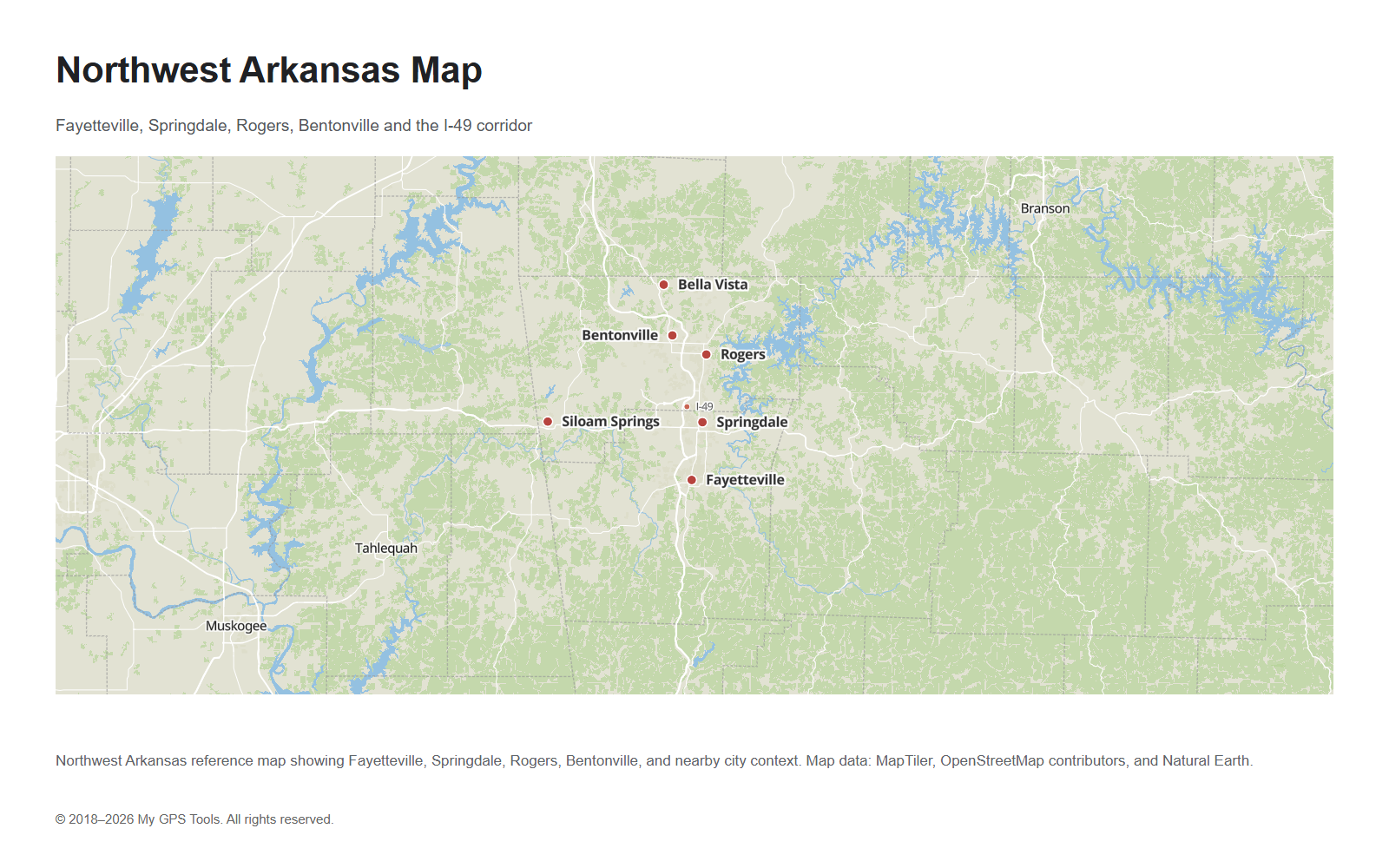
This map is useful for searches and tasks focused on Northwest Arkansas, including Fayetteville-area orientation, Bentonville and Rogers location checks, and travel planning along the I-49 corridor. It also helps separate the northwest metro area from Fort Smith, Little Rock, and the rest of the state.
Arkansas map with cities and towns
The Arkansas cities and towns map should be used when populated places are more important than county lines. This is the right map for general city-location searches and for readers who want to see Arkansas towns in relation to Little Rock, Fort Smith, Fayetteville, Jonesboro, Hot Springs, Pine Bluff, and Texarkana.
A good city map should not show every small settlement at the same size. Large cities should be visually stronger, while secondary towns should be smaller and less distracting. This makes the map easier to read in an article preview and in the full-size image.
For more detailed research, the cities-and-towns map can be paired with the county map. Together, they help you understand not only where cities are located, but also which county or region they belong to.
Arkansas county map
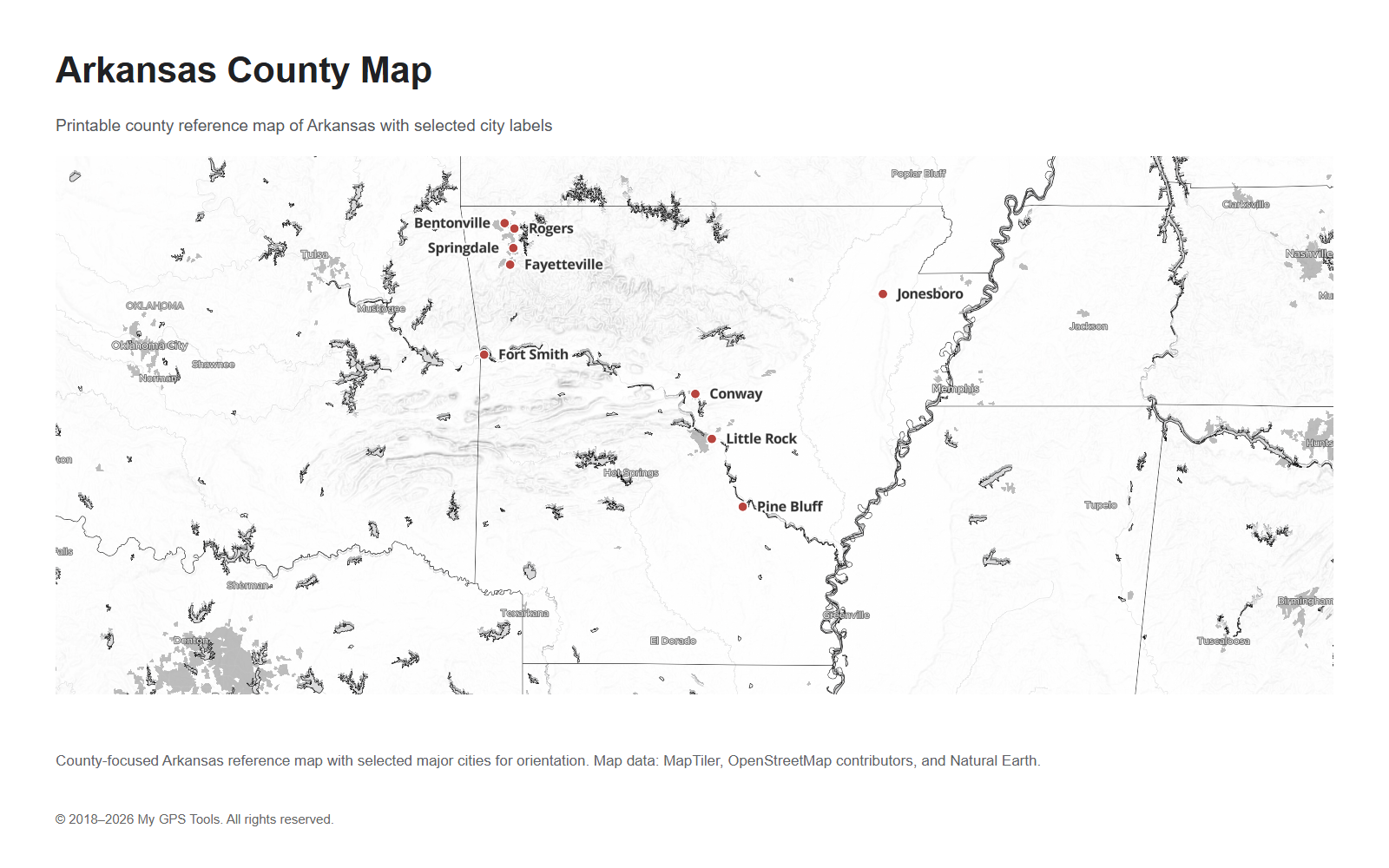
Arkansas has 75 counties. A county map is useful when you need administrative boundaries rather than road navigation. County maps are commonly used for school assignments, genealogy, local government research, election context, public service planning, real estate research, and regional orientation.
County-focused Arkansas map with selected city labels for orientation.
Important counties include:
- Pulaski County, which includes Little Rock;
- Washington County, which includes Fayetteville;
- Sebastian County, associated with Fort Smith;
- Benton County, including Bentonville and Rogers;
- Craighead County, associated with Jonesboro;
- Garland County, associated with Hot Springs;
- Jefferson County, associated with Pine Bluff;
- Union County, associated with El Dorado.
For web previews, a county map should stay readable. Showing all 75 county names on a small image can make the map crowded. A better approach is to show county boundaries clearly and use selected city labels for orientation. A larger full-size or PDF version can include more detail if the labels remain legible.
Road map of Arkansas
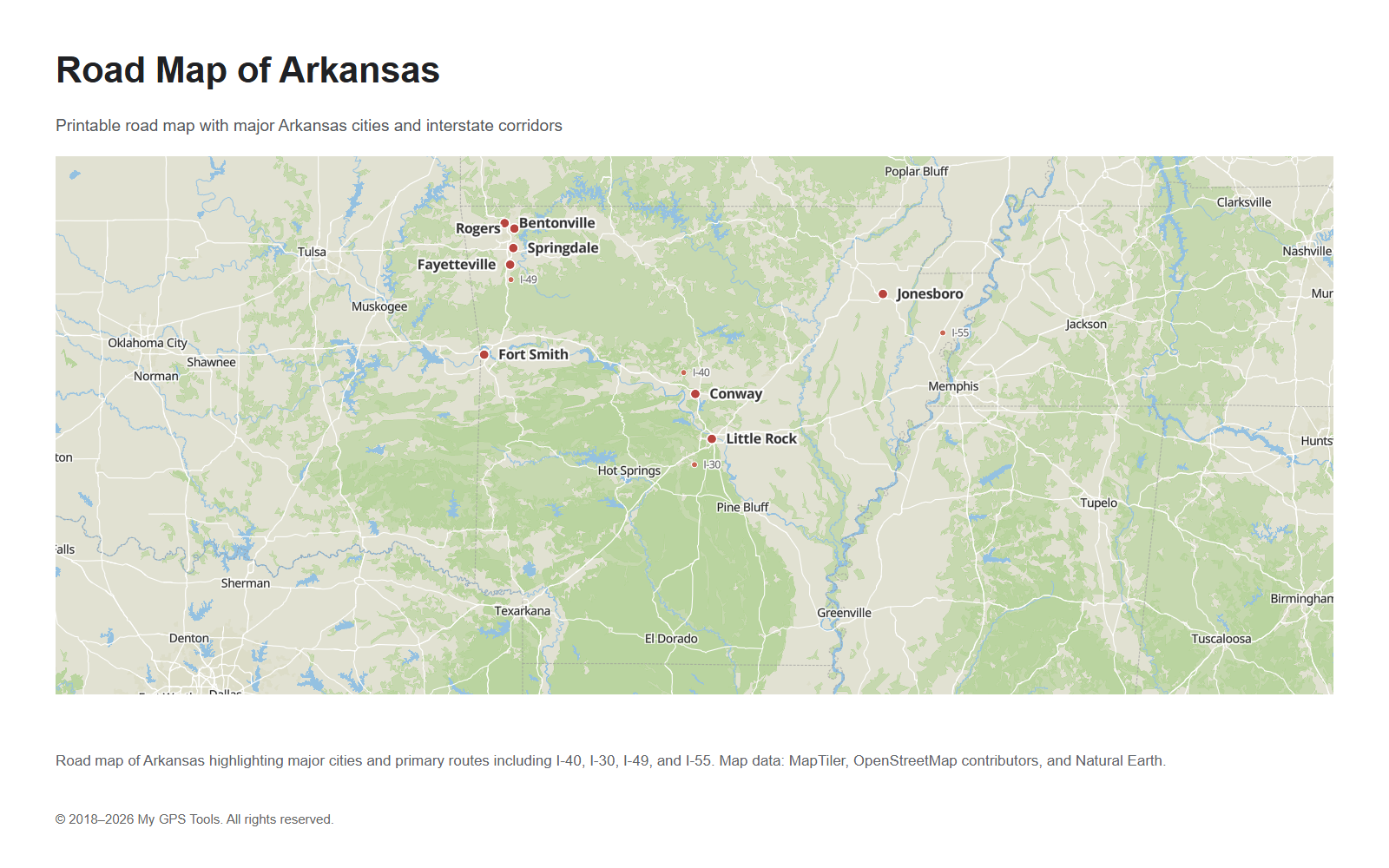
A road map of Arkansas is best for understanding travel corridors. It should emphasize the major interstates and highways rather than every local road.
Road map of Arkansas showing major city references and highway corridors, including I-40, I-30, I-49, and I-55.
The most important routes are:
- I-40, crossing Arkansas from west to east through Fort Smith, Russellville, Conway, Little Rock, and toward Memphis;
- I-30, connecting the Texarkana area with Little Rock;
- I-49, important in northwest Arkansas and the Fayetteville–Springdale–Rogers corridor;
- I-55, running along the eastern side near the Mississippi River region;
- US-67 / Future I-57 corridor, useful for northeast Arkansas and the Jonesboro direction.
For road planning, the map should make Little Rock easy to identify because many major routes converge near the central part of the state. Fort Smith, Fayetteville, Jonesboro, Texarkana, Pine Bluff, and Hot Springs are also useful anchors for route orientation.
Blank Arkansas outline map
A blank Arkansas outline map is different from a regular reference map. It should be simple, printable, and easy to mark by hand. It is useful for:
- school worksheets;
- labeling cities and counties;
- classroom geography activities;
- presentations;
- simple state outline reference;
- marking travel routes manually.
Minimal Arkansas outline map for printing, worksheets, and classroom labeling.
For this type of map, less detail is better. The best version usually includes the state outline and, optionally, county boundaries. Heavy road labels, shaded terrain, dense place names, and neighboring city labels should be avoided.
Arkansas regions on the map
Arkansas is often easier to understand by region than by individual cities alone. A regional map is useful when you want to compare the Ozarks, Northwest Arkansas, Central Arkansas, the Delta, and the southern part of the state.
Regional map of Arkansas showing Central Arkansas, Northwest Arkansas, Northeast Arkansas, Western Arkansas, Southern Arkansas, and the Delta region.
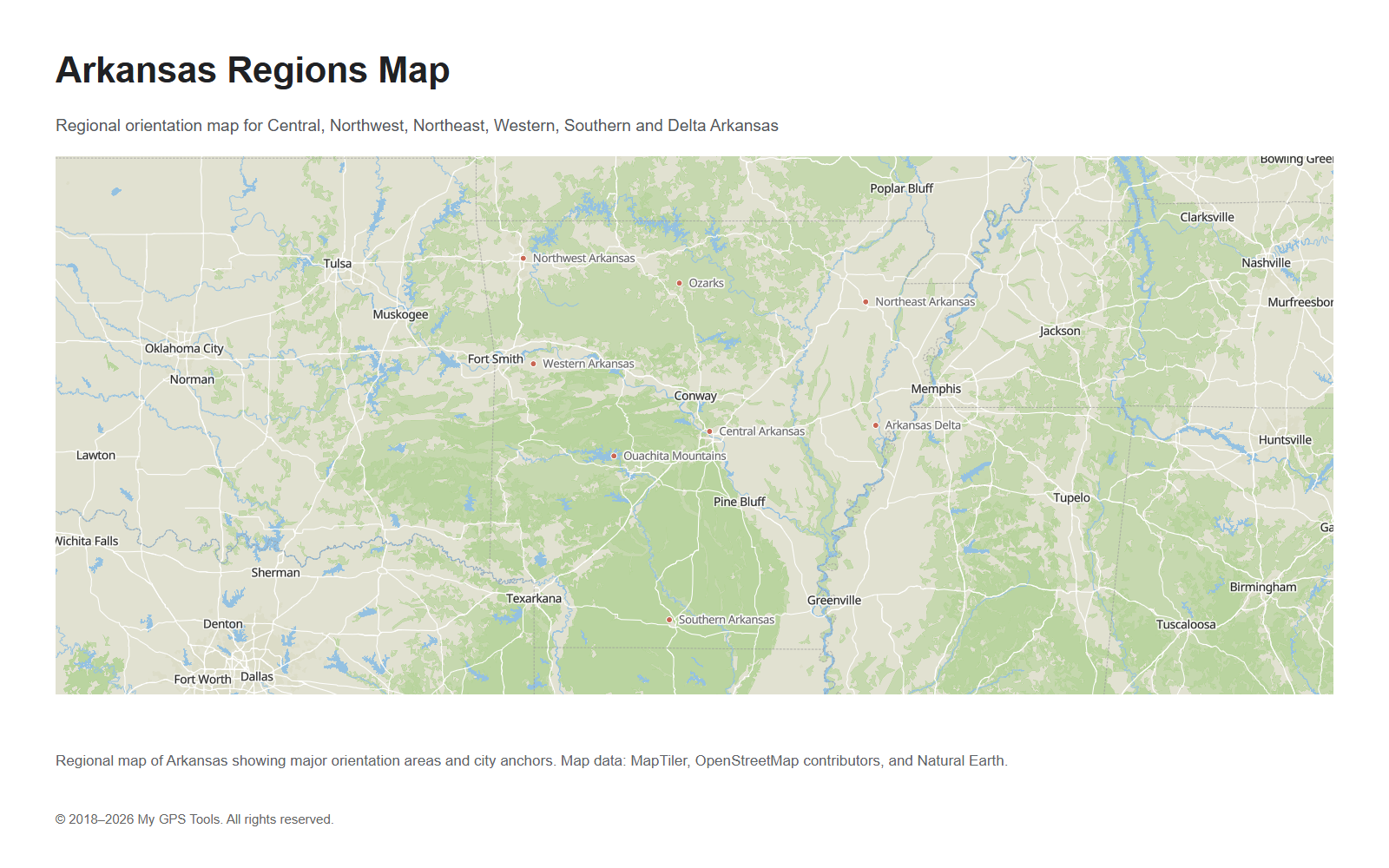
Central Arkansas is anchored by Little Rock, North Little Rock, Conway, and the Arkansas River corridor. This is the main political and transportation center of the state.
Northwest Arkansas includes Fayetteville, Springdale, Rogers, and Bentonville. It is one of the most searched regional map intents and deserves special attention on city maps.
Northeast Arkansas is anchored by Jonesboro and has strong links to the Mississippi River and Memphis region.
Western Arkansas includes Fort Smith and the Oklahoma border area. It is important for I-40 travel and cross-border routes.
Southern Arkansas includes El Dorado, Camden, Magnolia, and routes toward Louisiana and Texas.
Eastern Arkansas is shaped by the Mississippi Delta, agricultural areas, and river routes.
How to choose the right Arkansas map
Choose the map based on the task:
| Need | Best map |
|---|---|
| Find major cities quickly | Arkansas map with cities and counties |
| Locate towns and smaller cities | Arkansas cities and towns map |
| Focus on Fayetteville, Rogers, Springdale, and Bentonville | Northwest Arkansas map |
| Plan a driving route | Road map of Arkansas |
| Understand county boundaries | Arkansas county map |
| Print a simple worksheet | Blank Arkansas outline map |
| Compare regions of the state | Arkansas regions map |
For most users, the cities-and-counties map is the best starting point. It shows enough city and county context without becoming a dense road atlas.
FAQ
What is the best Arkansas map to use?
For general reference, use an Arkansas map with cities and counties. It gives a quick overview of the state, major cities, and county context.
What are the main cities on the Arkansas map?
The main cities include Little Rock, Fort Smith, Fayetteville, Springdale, Jonesboro, Rogers, Conway, Bentonville, Pine Bluff, Hot Springs, Texarkana, Russellville, and El Dorado.
What is the capital of Arkansas?
The capital of Arkansas is Little Rock. It is located in central Arkansas and is the main reference point for many state maps.
How many counties are in Arkansas?
Arkansas has 75 counties. Use an Arkansas county map when you need county boundaries or administrative geography.
What are the main highways in Arkansas?
The main interstate routes include I-40, I-30, I-49, and I-55. I-40 is the major east-west route, while I-30 connects southwest Arkansas with Little Rock.
What is the difference between an Arkansas county map and a road map?
A county map focuses on county boundaries and administrative geography. A road map focuses on highways, interstates, and driving routes.
Which map is best for northwest Arkansas?
Use the Northwest Arkansas map when you need Fayetteville, Springdale, Rogers, Bentonville, and the I-49 corridor. Use the statewide cities-and-towns map when you also need Little Rock, Fort Smith, Jonesboro, and other Arkansas cities.
Can I use a blank Arkansas map for school?
Yes. A blank Arkansas outline map is useful for school projects, worksheets, labeling exercises, and classroom geography activities.
Related guides
More useful articles from the Map Tools & Printable Maps topic.
- Athlone Town Map
Download the official Athlone map and explore attractions, landmarks, and walking routes. Discover the best things to do in Athlone, Ireland's hidden gem
- Ballina Town Map
Download the official Ballina map and explore attractions, landmarks, and walking routes. Discover the best things to do in Ballina, Ireland's hidden gem.
- Map of Ireland with Cities and Counties — Printable
Find printable maps of Ireland with cities, counties, towns, roads, tourist regions, and full-size PNG map downloads for travel planning, classroom use, and quick reference.
- Map of Iowa with Cities, Counties and Roads
Explore maps of Iowa with cities, counties, major roads, interstates, and a blank outline map. Use these reference maps for travel planning, school projects, and quick geographic orientation.
- Kentucky Map with Cities, Counties and Highways
Explore maps of Kentucky with cities, counties, highways, interstates, and a blank outline map. Use these reference maps for travel planning, school projects, and quick geographic orientation.
About MyGpsTools Editorial Team
MyGpsTools publishes practical guides about GPS apps, maps, navigation tools, EXIF photo metadata, satellite imagery, Android Auto, Apple CarPlay, ZIP code maps, and location-based technologies. We focus on clear instructions, practical checks, official documentation, and reader feedback.